Operator Disclaimer: Nosana hosting rewards are not guaranteed. Actual results depend on your supported GPU model, local electricity price, uptime, network latency, queue depth, job availability, NOS token price, and any current or future staking or collateral rules. Do not buy new hardware only on the basis of estimated rewards. Check the current Nosana explorer, confirm the latest official host requirements, and run a limited test with existing hardware before committing meaningful capital.
Quick Stats
| Token | NOS, Solana-based token used in the Nosana network |
| Network Type | Decentralized GPU compute marketplace focused on AI inference workloads |
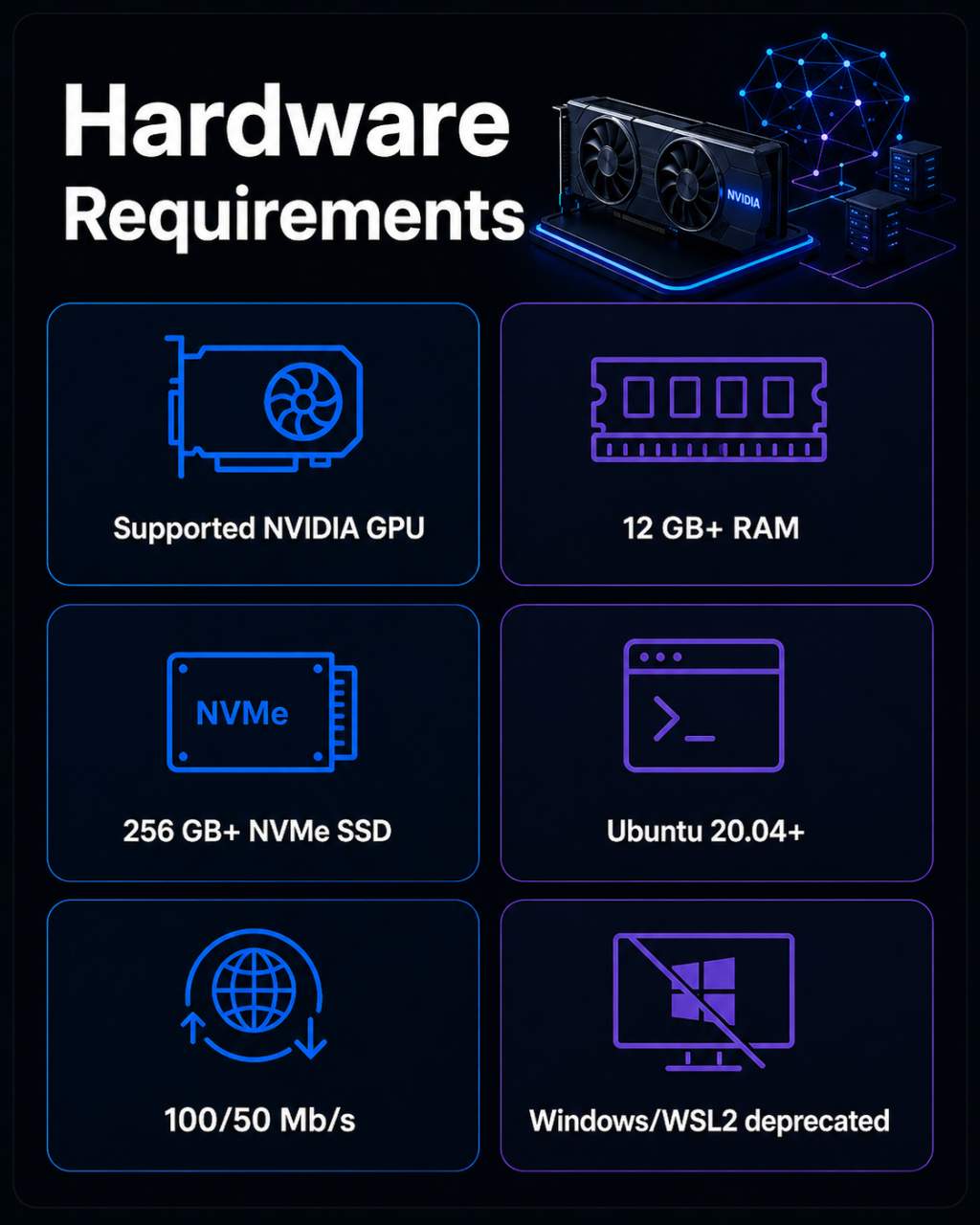
| Min Hardware | Supported NVIDIA GPU, 12 GB+ RAM, 256 GB+ NVMe SSD, Ubuntu 20.04+, 100 Mb/s down / 50 Mb/s up |
| Onboarding | Open to compatible GPU hosts; native Linux supported, Windows/WSL2 deprecated |
| Best For | Operators who already own a supported NVIDIA GPU, have low electricity costs, can run Linux, and are willing to test utilization before buying hardware |
1. Project Overview
Nosana is a Solana-based decentralized GPU marketplace where hosts contribute compatible NVIDIA GPU hardware to run AI inference and compute workloads for paying clients. Hosts earn NOS tokens for completed jobs. The network is live and shows ongoing job activity. This guide is cautious by design: the real question is not whether you can run a Nosana host, but whether it makes economic sense once you account for electricity, queue time, and token volatility.
2. Is Nosana Suitable for Small/Medium Operators?
Maybe. It depends on what you are starting with.
The technical side is manageable if you already have the right hardware and are comfortable with Linux. The economics are harder to call.
- You need a supported NVIDIA GPU. AMD, Intel, and Apple Silicon are not supported for hosts.
- Native Linux is the supported path. Windows, including WSL2, is deprecated in current docs. If you have never run Ubuntu, build that learning curve into your setup estimate.
- The official model is one GPU per PC and one private key per GPU. Anyone thinking about running a multi-GPU rig should read the official host docs before buying anything.
- Earnings depend on actual jobs running on your GPU. Idle time earns nothing under the job-based model, and queue depth varies by GPU tier and market.
- If your electricity rate is high, mid-tier GPUs can become marginal or negative on net. Older public operator reports flagged this risk, but those reports are dated, so the safer approach is to calculate against your own electricity rate and current explorer data.
- The reward model is in transition. A governance proposal called NNP-0001 is moving rewards toward uptime, reliability, and repeat usage, but the exact live parameters should be confirmed from official sources before you treat them as settled.
If you already own a supported GPU and run Linux on low-cost electricity, Nosana is worth testing. If you are thinking about buying hardware specifically for this, wait until you have real utilization data.
3. Infrastructure Requirements
Official Minimums
| Component | Requirement |
|---|---|
| GPU | Supported NVIDIA GPU |
| RAM | 12 GB or more |
| Storage | 256 GB+ NVMe SSD |
| OS | Ubuntu 20.04 or newer |
| Bandwidth | 100 Mb/s download / 50 Mb/s upload |
Official Recommendations
| Component | Recommended |
|---|---|
| Bandwidth | 500 Mb/s download / 250 Mb/s upload |
| Latency | Ping below 100 ms |
Supported GPU Families
Nosana's official host documentation lists the following NVIDIA GPU families as supported:
- RTX 30 series
- RTX 40 series
- RTX 50 series
- RTX A-series professional cards
- A100
- H100
Consumer cards from the RTX 30 and 40 series are the most realistic entry point for home operators. Professional and data center cards sit in a different cost bracket entirely.
Setup Constraints Worth Knowing Before You Start
One GPU per PC. One private key per GPU. That is the official model as documented. Plan accordingly before buying additional hardware.
Windows and WSL2 are deprecated. Native Linux is the supported path going forward.
Higher-end GPUs may access better-paying markets, but acquisition cost, power draw, utilization, and actual demand still determine whether the numbers work out.
4. Step-by-Step Setup
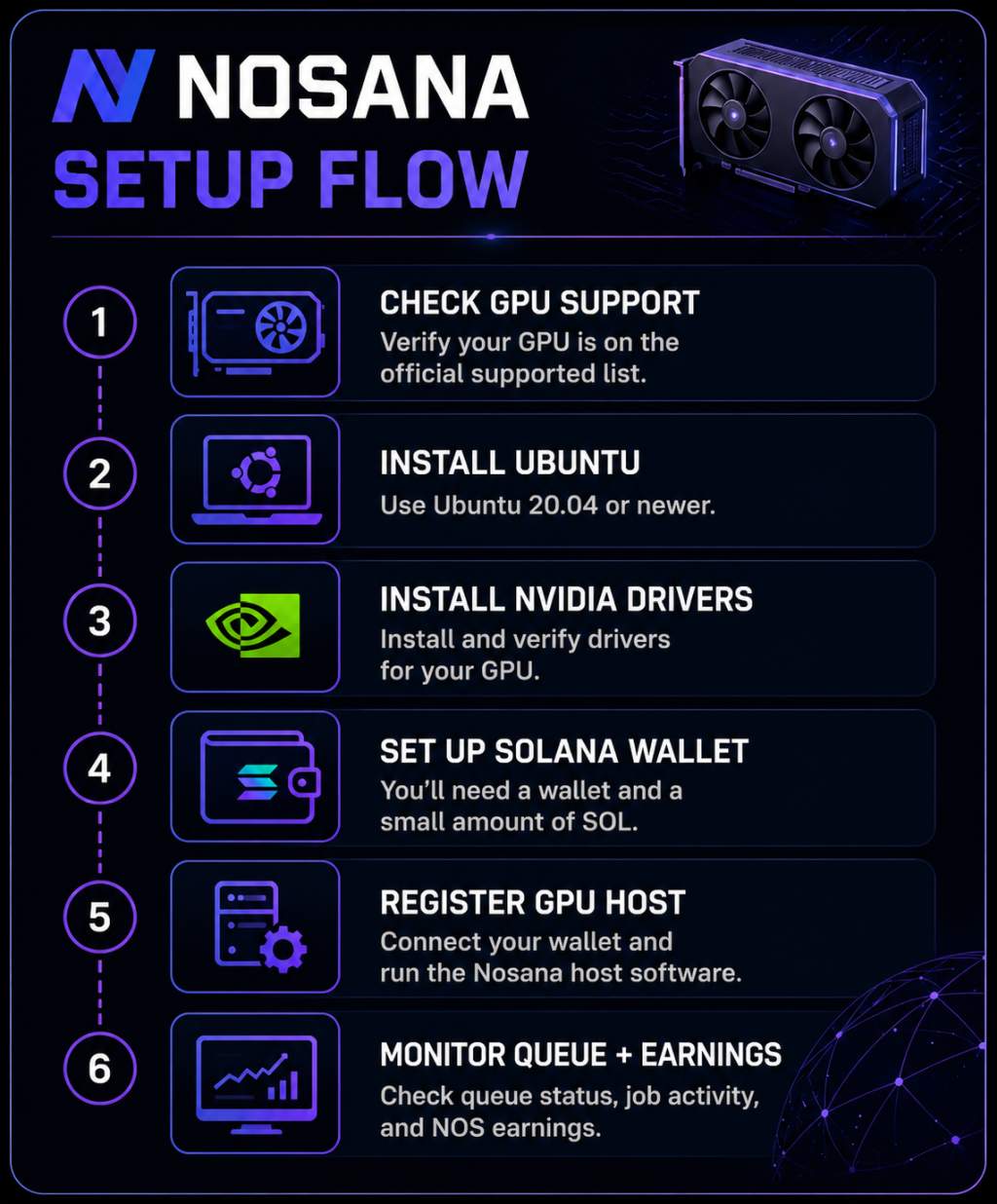
This is a high-level walkthrough. Each step has its own friction. Do not skip the official Nosana host documentation. Specific CLI commands, Podman flags, RPC settings, and configuration details should come from current official docs, not third-party guides.
-
Confirm GPU compatibility. Cross-check your GPU model against the official Nosana supported list before doing anything else. Unsupported GPUs cannot earn rewards.
-
Install Ubuntu. Ubuntu 20.04 or newer, installed natively. Do not use Windows Subsystem for Linux.
-
Install NVIDIA drivers. Install the appropriate proprietary drivers for your GPU and Ubuntu version. Verify the installation before moving on.
-
Install Docker and container tooling. Nosana hosts run jobs inside containers. Follow the official docs for the exact setup steps.
-
Set up a Solana wallet. You need a Solana wallet to receive NOS and to cover transaction fees. Fund it with a small amount of SOL.
-
Register as a GPU host. Follow the official host registration process. This involves connecting your wallet and running the Nosana host software.
-
Start the host and check queue status. Once live, your host appears in the Nosana explorer. Check the dashboard for queue position, job activity, and NOS earnings. Do not expect jobs to flow immediately. Queue depth varies.
-
Keep things stable. Ongoing hosting requires attention to drivers, container tooling, network connection, and hardware thermals. None of it is complicated, but all of it needs to stay healthy.
5. Current Earnings Picture
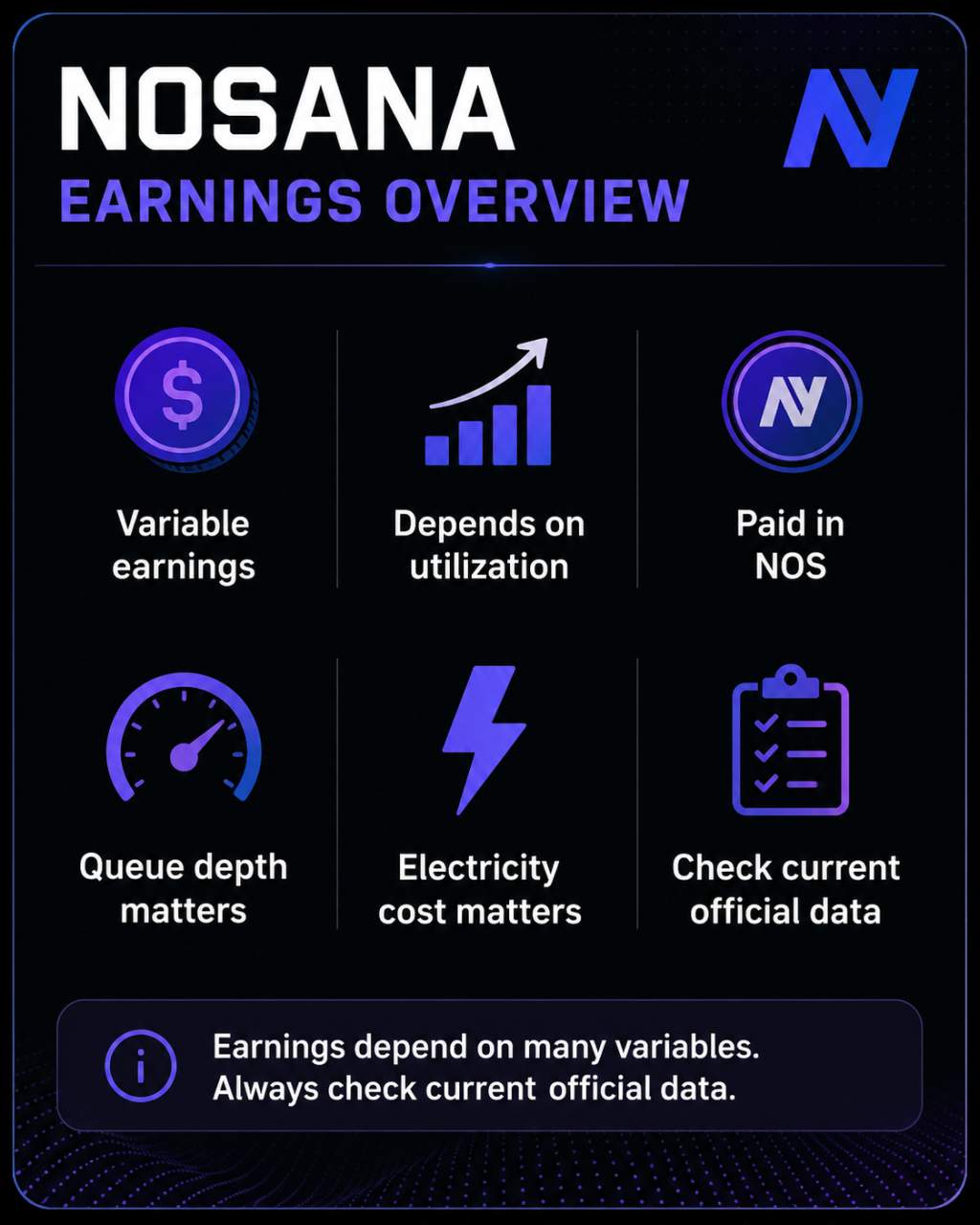
Nosana earnings are job-based. Your GPU runs a workload assigned from the network and you receive NOS when the job completes. No jobs means no earnings under the base job model.
Several variables determine what you actually net:
- Utilization. A GPU sitting in queue earns nothing during that time. Queue depth is a real operational variable and differs across GPU tiers and markets.
- Market rates. Live GPU market rates are visible in the Nosana explorer. Use those numbers as a gross-rate reference, not a guaranteed figure. They shift with supply and demand.
- Electricity. Power draw from a GPU running continuously adds up. At high electricity rates, even a reasonably utilized GPU can produce negative net returns.
- NOS price. You earn NOS, not fiat. Whatever the job rate is in NOS terms, your real-world return moves with the token price.
- Reward model changes. NNP-0001 proposes shifting rewards toward uptime, reliability, and repeat usage. A base-pay component has been discussed as a way to compensate hosts during idle periods, but its live status and exact eligibility should be confirmed from current official documentation before you treat it as part of your income calculation.
Any illustrative earnings example you build should use: the current explorer rate for your GPU tier, a realistic utilization assumption, your actual kWh cost, and the current NOS price. That gives you a gross estimate, not a projection. Treat it as a snapshot.
Older public operator reports suggested mid-tier GPUs struggled with idle time and weak net returns. Those reports are dated. Use them as background, not as evidence of what the network looks like today.
6. Recent Network Updates
NNP-0001: Reward Model Restructuring
The most significant recent development for operators is NNP-0001, Nosana's governance proposal to shift rewards away from a purely job-volume model toward measurable contribution. That means uptime, reliability, performance, and repeat usage from returning clients.
Voting has concluded, but the public voting page does not show a detailed breakdown of the final result count. The full implementation details, including any base-pay mechanics, collateral requirements, and premium-market structure, should be checked against current official documentation before you plan your operation around them.
The practical takeaway: reward structures described in older guides or community posts may not reflect what goes live under NNP-0001. Check the official Nosana blog and host docs for the current state before committing.
7. Pros & Cons
Pros
- Real GPU workloads from paying AI inference clients, not synthetic mining tasks
- Open host participation with clearly documented hardware requirements
- Live monitoring of your host, queue position, and NOS earnings through the Nosana explorer
- The supported GPU list includes common consumer NVIDIA cards that home operators actually own
- NOS payments are tied to completed jobs
- NNP-0001 is intended to place more weight on uptime, reliability, and measurable contribution, but operators should confirm the live reward rules before relying on this in their earnings model
Cons
- Earnings depend entirely on job availability and queue position. Idle time costs you in electricity.
- In high-electricity regions, mid-tier GPUs are hard to justify on the numbers.
- NOS is volatile. Your real-world return in fiat terms can shift a lot even when your operation runs perfectly.
- Native Linux is required and there is no Windows fallback.
- One GPU per PC is the official model, which limits how home operators can scale.
- The reward model is changing under NNP-0001, and collateral requirements for higher-tier hardware are not yet settled.
- Fresh public operator reports are sparse, so it is hard to know what typical results look like right now.
8. Common Pitfalls to Avoid
Buying hardware before testing. Run a test period with existing hardware first. Check real utilization, calculate net returns against your electricity rate, and only then consider additional investment.
Underestimating electricity cost. GPU power draw under sustained load adds up. Run the numbers against your actual kWh rate before assuming a profit margin.
Assuming 100% utilization. Queue depth varies by GPU tier and market demand. Build your economics around a realistic utilization figure.
Running unsupported hardware. An unsupported GPU will not earn rewards. Check the official list before setup, not after.
Starting on Windows or WSL2. Both are deprecated. Building your setup on a path Nosana is moving away from is a waste of time.
Not checking queue depth before committing. The explorer shows queue data by market. A market where hosts outnumber available jobs is a very different situation from one with steady demand. Look at this before you decide anything.
Treating NOS earnings as fiat. You earn NOS. If your costs are in local currency and your income is in tokens, the price of NOS at the time you sell is part of your actual return.
Assuming NNP-0001 mechanics are already live. Voting has concluded, but implementation details should be confirmed from official sources. Do not plan around base pay or collateral terms until they appear in the current host docs.
9. Tips for Home Operators
Start with the GPU you already have. If it is on the supported list, get it running and track real utilization for a few weeks before drawing any conclusions.
Calculate your electricity cost honestly. Use your actual local kWh rate. A margin that looks fine with cheap electricity can disappear quickly when rates are higher.
Keep your wallet lean. You need enough SOL to cover transaction fees and nothing more. There is no reason to keep large balances in a hot wallet connected to your host.
Watch thermals and noise. A GPU running at sustained load for weeks behaves differently than one used for occasional gaming sessions. Check temperatures regularly.
Look at the explorer before thinking about scaling. If your GPU tier shows deep queues and low job flow, adding another machine does not solve a demand problem. It just adds cost.
Keep an eye on the official Nosana docs and governance pages for NNP-0001 implementation updates. The reward model is shifting, and understanding the new structure before it goes live is worth the time.
Do not treat this as passive income. Stable hosting means staying on top of driver updates, container tooling, uptime, network stability, and thermals. Not complicated, but not zero work either.
10. Final Verdict
Nosana is a credible GPU compute marketplace worth testing if you already own a supported NVIDIA GPU, run Linux, and have low electricity costs. The project has real workloads, documented host requirements, and working monitoring tools. For anyone considering buying hardware based on potential earnings, the practical advice is this: get real utilization data first, run the electricity math against your actual rate, and wait for NNP-0001 implementation details to settle before factoring in base pay or collateral mechanics.