Disclaimer: This guide is for technical and educational purposes only. Running an io.net worker can involve hardware wear, electricity costs, internet usage, Docker/Linux maintenance, wallet security, $IO staking exposure, token price volatility, reward uncertainty, and possible periods with little or no active job income. Hardware eligibility, staking requirements, uptime rules, block rewards, active device counts, IDE deployment status, and token price can change. Do not buy GPUs, lock tokens, or run high-power hardware based only on static estimates in this article. Always check the current io.net docs, explorer dashboards, supported-device list, staking page, and official community channels before making an operator decision.
Quick Stats
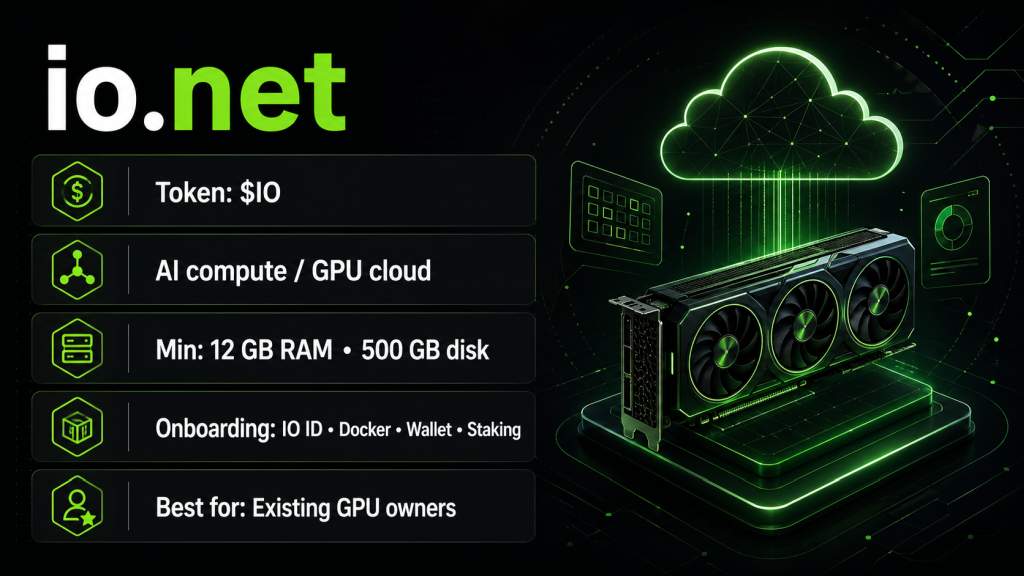
| Token | $IO |
| Network Type | AI compute / decentralized GPU cloud on Solana |
| Minimum Requirements | 12 GB+ RAM, 500 GB+ free disk space, 500 Mbps download, 250 Mbps upload, <30 ms ping, supported CPU/GPU, Docker-based worker setup |
| Onboarding | Open to supported hardware owners, but requires IO ID, Docker worker setup, wallet connection, staking, and device authorization |
| Best For | Operators who already own compatible GPUs/CPUs, have low electricity costs, are comfortable with Linux/Docker, and can tolerate reward uncertainty |
1. Project Overview
io.net is a decentralized AI compute network that aggregates GPU and CPU supply from independent sources, including data centers, crypto miners, and consumer GPU owners, and makes that supply available for machine learning and GPU workloads. The project runs on Solana and uses $IO as its native token for staking and rewards. Operators contribute compute through a Docker-based worker setup, connect a Solana wallet, stake $IO, and earn block rewards based on device eligibility and network activity. This guide is written from the perspective of small and medium home operators, not enterprise infrastructure teams.
2. Is io.net Suitable for Small/Medium Operators?
Maybe, with significant caveats.
The honest answer depends on what you already have and what you expect to get out of it.
You are a reasonable candidate if:
- You already own compatible hardware and would otherwise leave it idle
- Your electricity cost is low enough that continuous GPU operation is not a significant expense
- You are comfortable with Linux, Docker, and basic command-line troubleshooting
- You can tolerate token-denominated rewards with no guaranteed fiat floor
- You treat active compute jobs as upside rather than expected income
You are a poor fit if:
- You are planning to buy new GPUs specifically to run io.net
- You need predictable monthly income to justify the hardware or electricity spend
- You expect a simple plug-and-play setup
- You have not yet confirmed your hardware is on the current supported-device list
Onboarding is technically open for supported devices, but the process still requires account setup, Docker configuration, wallet handling, staking, and ongoing uptime management. "Open" does not mean simple.
3. Infrastructure Requirements
Official Minimums
These are the published minimum requirements from io.net's official documentation:
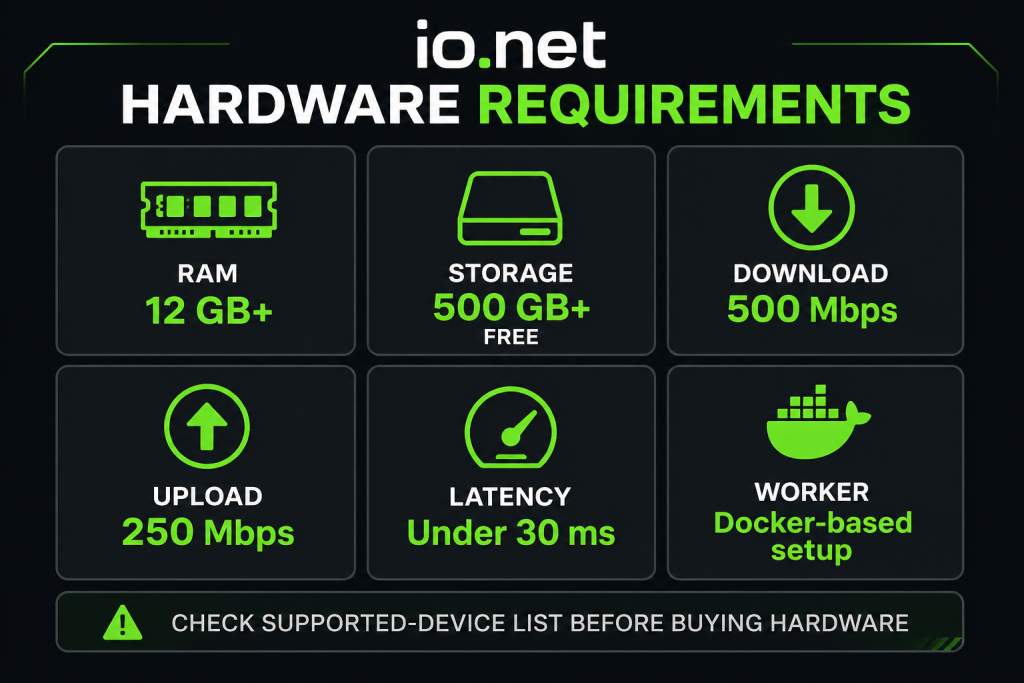
- RAM: 12 GB or more
- Free disk space: 500 GB or more
- Download speed: 500 Mbps
- Upload speed: 250 Mbps
- Latency: Under 30 ms ping
- Worker setup: Docker-based
- Wallet: Valid Solana (SOL) address required for reward calculation
Note: GPU and CPU eligibility is handled separately from the general system requirements above. Your device must appear on io.net's current supported-device list. Unsupported GPUs or CPUs may receive no rewards even if the machine meets the RAM, storage, internet, and latency requirements.
Check the current supported-device list on io.net before making any hardware decision. The list changes, and unsupported devices may receive no rewards regardless of specs.
What Actually Matters in Practice
The minimums get your device on the network. What affects how attractive your device is to renters is a different question.
- io.net strongly encourages at least 1 Gbps download and upload
- Active jobs may involve around 5 GB per hour of data traffic, so connectivity is not just a registration checkbox
- Pricing depends on supply and demand, GPU model, internet speed, and security or compliance certifications
- Enterprise-grade compliant nodes are priced and matched differently from consumer-grade nodes
That last point matters more than many home operators realize. A data center node with stronger connectivity, compliance credentials, and professional uptime practices may compete in a different tier than a home setup with shared consumer internet, even if both use capable GPUs.
4. Step-by-Step Setup
This is a high-level sequence. Exact UI steps and commands can change, so cross-reference the current official docs at each stage.
-
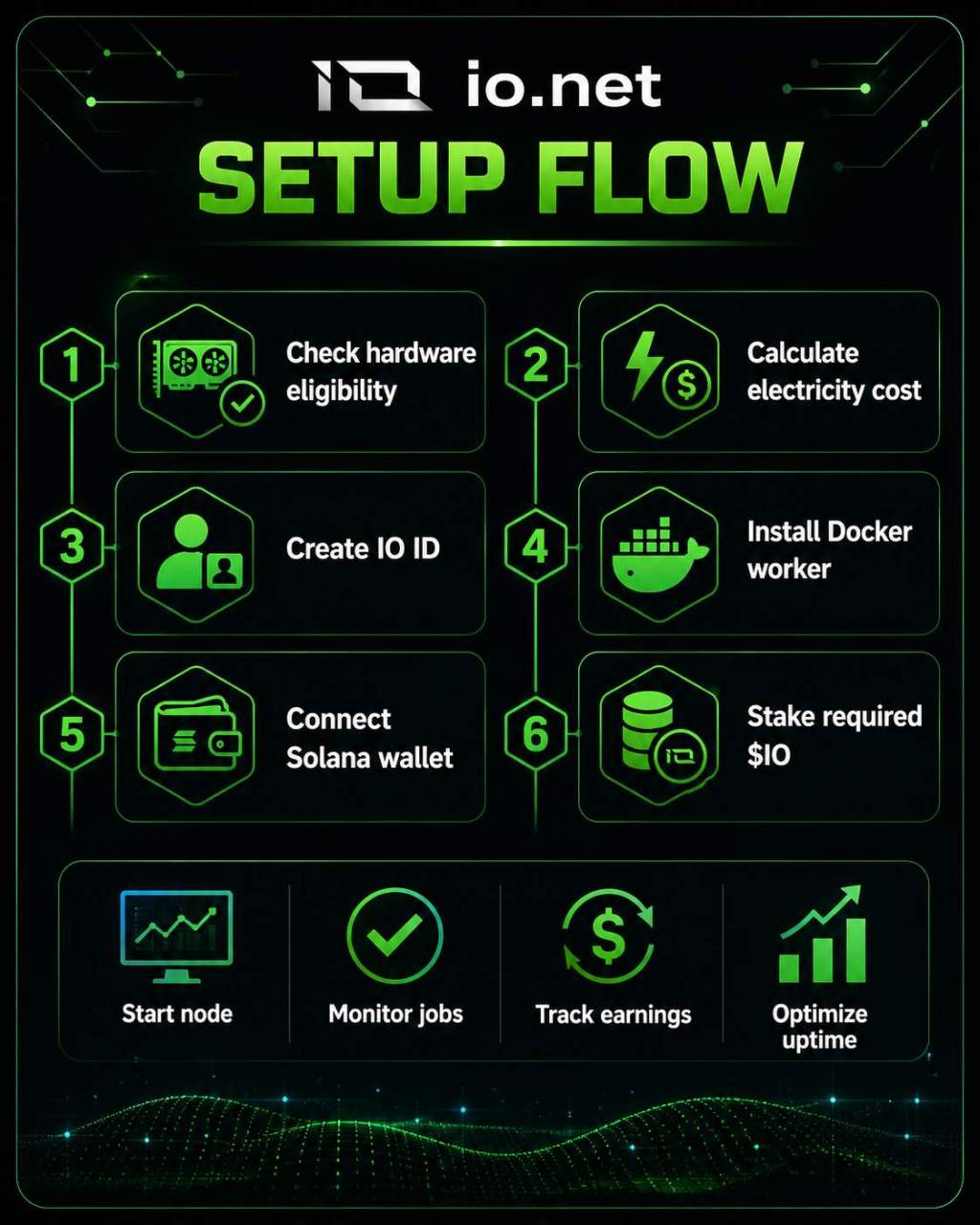
Confirm hardware eligibility. Check the io.net supported-device list before anything else. Do not assume your GPU or CPU qualifies.
-
Calculate electricity cost. Find your GPU's typical power draw under load, multiply by your local rate, and run the numbers before committing to continuous operation.
-
Create an IO ID account. Register at io.net and set up your IO ID. This is your operator identity on the network.
-
Install Docker. The worker runs inside Docker. Linux is generally the preferred environment for long-term operation, while WSL2 on Windows can work but adds another layer to troubleshoot.
-
Install the io.net worker tools. Follow the current official worker setup guide for your OS. Do not use third-party installers or unofficial scripts.
-
Launch the worker. Start the Docker-based worker and verify it is running without errors before proceeding.
-
Authorize your device. Complete device authorization through the io.net dashboard.
-
Connect a Solana wallet. A valid SOL address is required for block reward calculation. Use a wallet you control and have properly secured.
-
Stake the required $IO. Staking is required to participate. Staking more than the minimum does not earn additional block rewards. The unstaking process takes 14 days, and $IO in the cooldown period does not count toward your device's staking requirement. Factor that lockup into any decision about how much $IO you hold.
-
Monitor your device. Check the Block Rewards Dashboard regularly. Track device uptime, failed checks, reward status, and wallet connection. Block rewards require meeting minimum uptime thresholds, listed as 3 to 5 hours in the official documentation, and failed proof-of-work or proof-of-throughput-latency checks can disqualify a device from rewards.
5. Current Earnings Picture
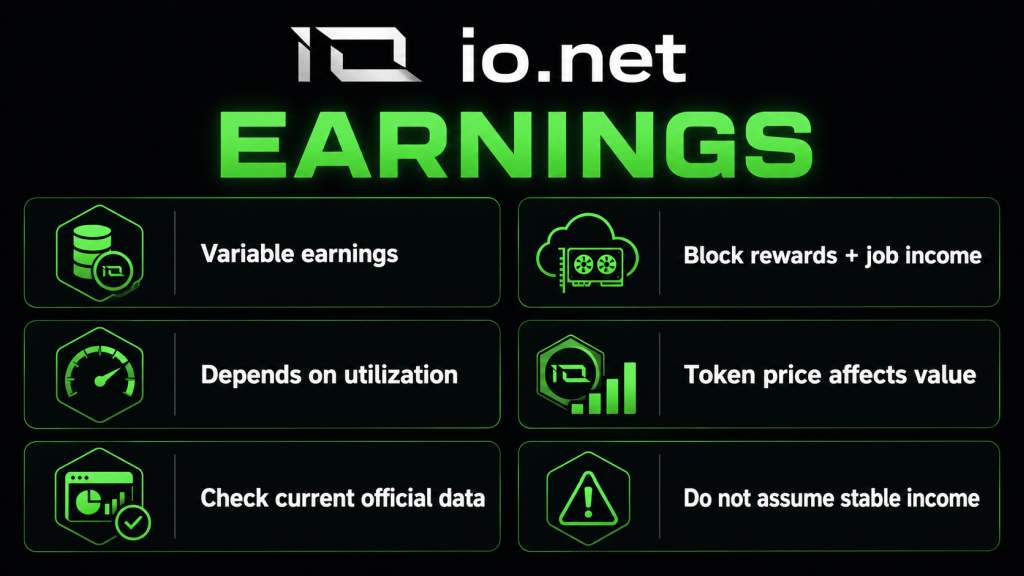
Earnings come from two separate sources, and conflating them is one of the most common mistakes home operators make.
Block Rewards
Block rewards are tracked through the official Block Rewards Dashboard, which shows total coins distributed, daily coins distributed, reward emissions, nominated workers, succeeded workers, and failed workers. There is no fixed published per-GPU rate, and the reward formula is explicitly subject to change by the IOG Foundation.
Eligibility depends on:
- Meeting minimum uptime requirements
- Passing proof-of-work and proof-of-throughput-latency checks
- Having a valid SOL address connected
- Having required $IO staked
The fiat value of any block rewards you receive depends on the current $IO token price, which is not fixed and can change significantly.
Some older community reports mentioned roughly 1 $IO per day for an RTX 4090 during the early reward period. Treat that as historical context only, not a current estimate. Use the live Block Rewards Dashboard for any current reference point.
Active Job Income
When a renter hires your device, you earn additional income for that compute time. The challenge for home operators is that consistent job assignment is not guaranteed. Community reports and the structure of the network both suggest that consumer GPU operators, especially those competing against higher-end, lower-latency, enterprise-compliant nodes, should not assume regular utilization.
Treat active jobs as upside. If jobs arrive, that is a bonus on top of whatever block rewards your device qualifies for. Building a profitability model that depends on consistent job flow is not a safe framing for a home setup.
Co-staking is also available, which lets $IO holders participate alongside operators without running hardware themselves. Yields depend on reward rates, operator terms, token price, and the performance of the selected worker. There is no official guaranteed APY to quote here.
6. Recent Network Updates
IDE: Incentive Dynamic Engine
The main operator-relevant development from the past several months is the IDE (Incentive Dynamic Engine), a planned redesign of io.net's tokenomics.
The IDE litepaper describes a move away from fixed token emissions toward a dynamic system based on network revenue and payout obligations. The design includes a two-vault mechanism, a sustainability ratio, and a target of more stable USD-equivalent payouts for suppliers. The stated goal is to reduce supplier exposure to token price volatility.
The community review period has concluded, and the final litepaper was targeted for publication around March 31, 2026. Implementation was targeted for Q2 2026, but live production deployment should still be verified through official io.net channels.
IDE is not confirmed live as of this writing. Treat the design as a meaningful planned change, not proven production behavior. Check the official io.net blog and documentation for current deployment status before drawing any conclusions about future operator economics.
7. Pros & Cons
Pros
- io.net is a live network with documented infrastructure, staking, and reward tracking
- Onboarding is open for supported hardware owners
- Public dashboards exist for block rewards, staking, and device status
- Both consumer and enterprise hardware categories are supported
- IDE represents a substantive planned change to the tokenomics model, addressing some of the volatility concerns in the current system
Cons
- Consumer GPU operators may see low or inconsistent job utilization, especially competing against enterprise-compliant nodes
- Block rewards are token-denominated, which means fiat value is volatile
- Staking requires a 14-day unstaking cooldown, and tokens in cooldown do not count toward device requirements
- Setup requires Docker, Linux comfort, GPU drivers, and wallet management; it is not a beginner process
- The reward scoring formula can be changed by the IOG Foundation at any time
- IDE is not yet confirmed live, so future economics improvements remain pending
- Active, verified, rentable supply may differ significantly from marketing figures about total GPU count
8. Common Pitfalls to Avoid
Buying hardware before checking the supported-device list. The list changes. An unlisted GPU earns nothing regardless of its specs. Check before spending.
Confusing total GPU count with active rentable inventory. io.net has made broad supply claims in official and marketing materials, but active verified GPU counts in live explorer snapshots have been much smaller. Late April 2026 explorer snapshots reviewed during research showed roughly 530 total GPUs, with around 255–275 hired. These figures can change, but the important point is that total marketed supply and active rentable inventory are different metrics.
Assuming block rewards cover electricity. Electricity cost is a real variable that depends on your local rate and GPU power draw. Rewards may not cover costs, especially if your electricity rate is high or the token price is low.
Ignoring the staking cooldown before making token decisions. If you decide to exit, your $IO takes 14 days to unstake. And during that cooldown, it does not count toward your device's staking requirement, which can affect reward eligibility before the cooldown ends.
Running an unstable Windows/WSL2 environment without understanding Docker. WSL2 works, but it introduces more failure points than a native Linux setup. Uptime requirements mean instability directly affects reward eligibility.
Missing failed POW or POTL checks. These failures can prevent rewards even if your device is technically running. Monitor the dashboard, not just the worker process.
Using unofficial links or fake staking contracts. The official staking docs specifically warn about phishing and fake contracts. Always access staking through official io.net URLs only.
9. Tips for Home Operators
Start with hardware you already own. The operator case for io.net is much stronger when marginal electricity cost is your main variable, not hardware amortization on a new GPU purchase.
Before running continuously, plug in a watt meter or use software monitoring to measure actual power draw under the kind of load io.net workloads create. Then multiply by your electricity rate and compare to what the Block Rewards Dashboard is showing for similar devices.
For long-term operation, a native Linux setup is worth considering because it removes some of the extra troubleshooting layers that can come with WSL2.
Monitor three things consistently: device uptime percentage, failed check rate, and reward wallet status. A device that is technically on but failing checks may earn nothing.
Recheck the supported-device list and staking requirements before making any hardware or token decisions. These change, and decisions made on outdated information can be costly.
Follow the official io.net blog, documentation, and Discord for IDE deployment status. If IDE is deployed and live reward data confirms the intended mechanics, the economics of running a device may change for home operators. Do not base any current decisions on IDE as if it is already active.
Treat job income as upside. If your device gets hired, that is a positive event. Use block rewards only as the most visible baseline to monitor, and model them conservatively against current dashboard data rather than historical community reports.
10. Final Verdict
io.net is a real, live network with documented infrastructure and a meaningful planned update in IDE. For technically capable operators who already own supported hardware and have genuinely low electricity costs, it is worth testing and monitoring. It is not a reliable income source for home users buying new hardware on the expectation of predictable monthly returns, and it should not be framed that way. The deciding factors are your current reward dashboard data, your local electricity cost, the availability of actual compute jobs, and confirmed IDE deployment status.